A brutally honest, personalized read on your LinkedIn presence — not a generic checklist. We score what's actually costing you opportunities and hand you the plan to fix it.
Brand Health Score — rated across 5 dimensions: clarity, consistency, authority, visibility, differentiation
The Visibility Gap table — exactly what's missing and the move that fixes each one
Headline & About rewrites — drop-in copy, written for you
A 90-day action plan — most of it executable in the first 30
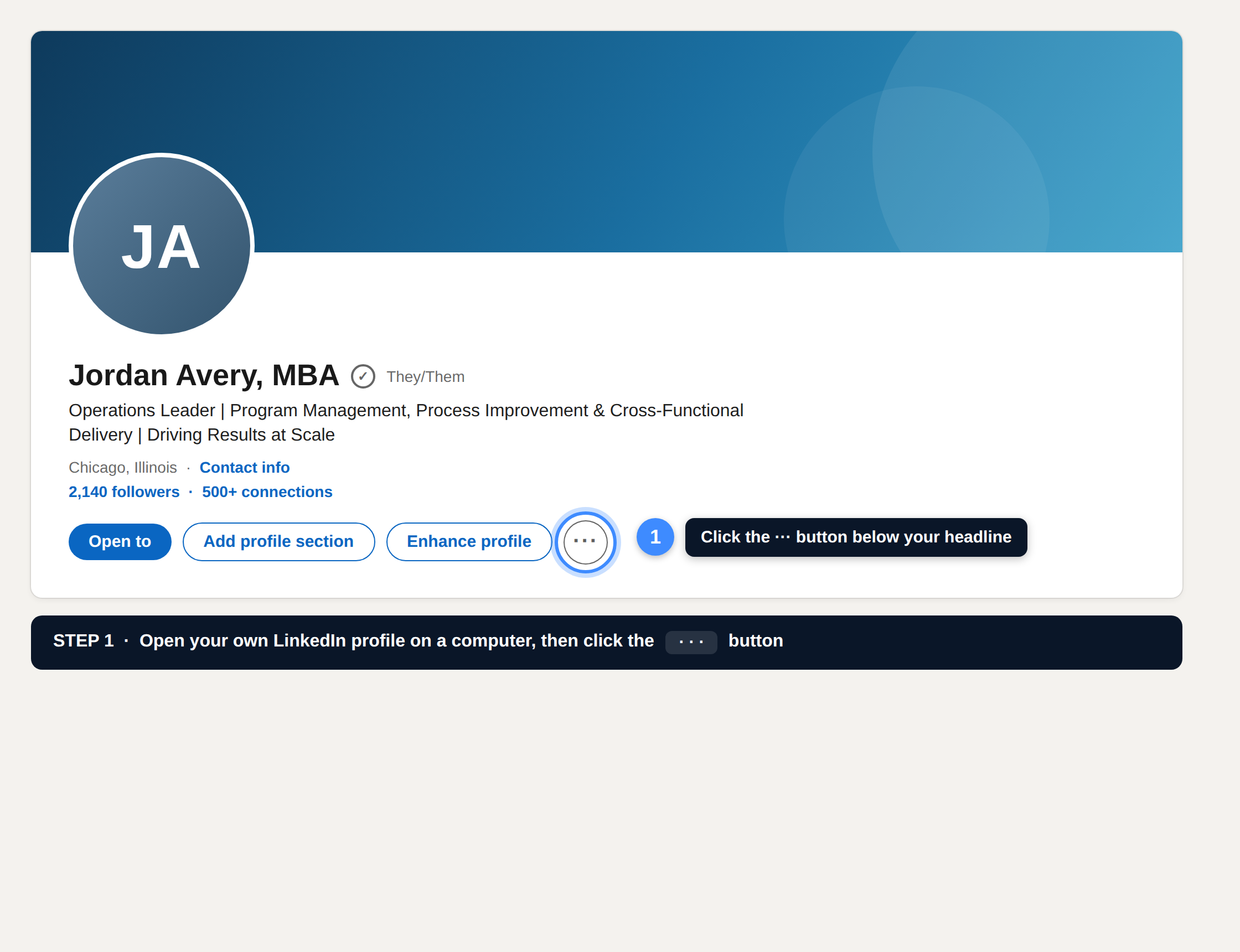
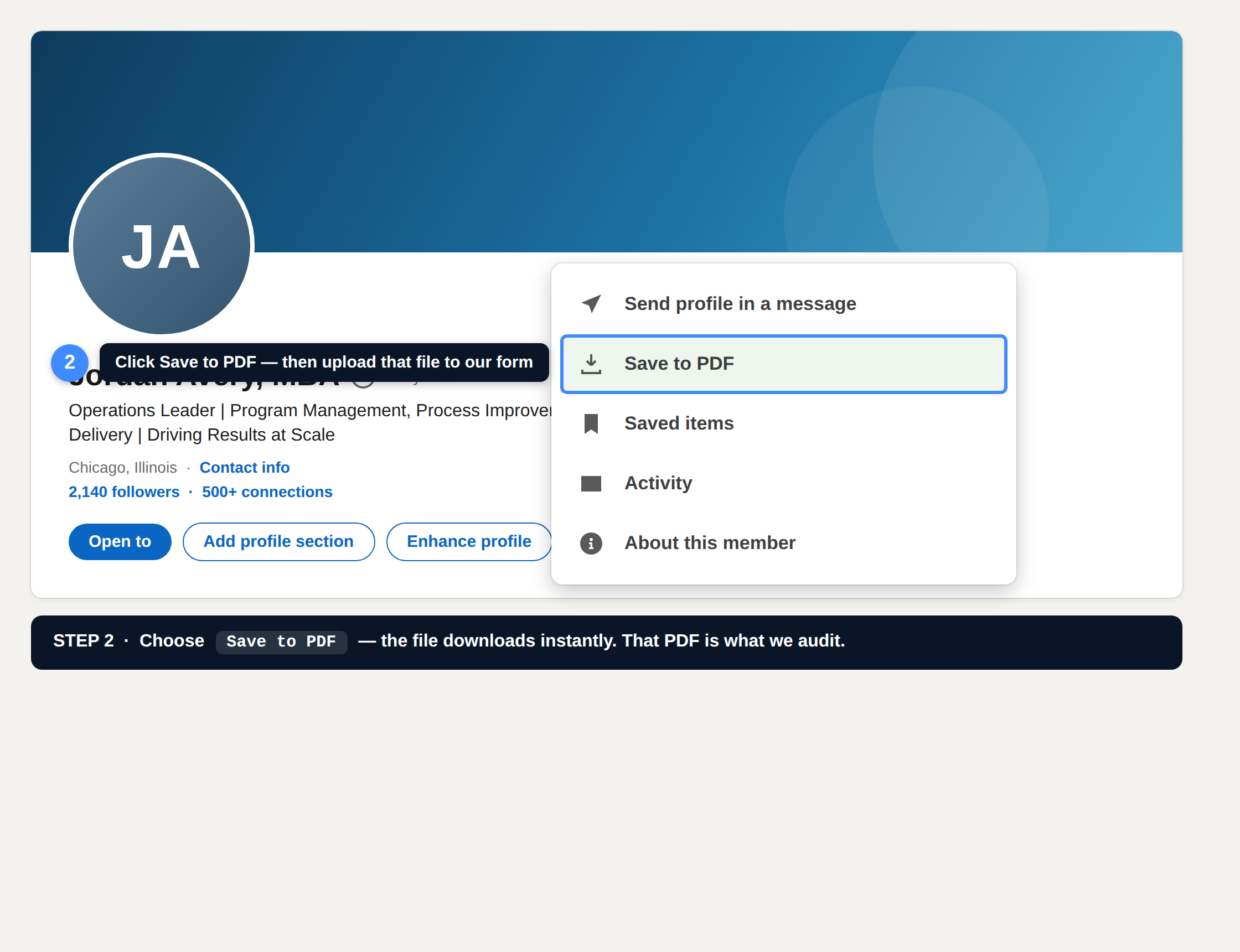
From a computer, on your own profile. That PDF is exactly what we audit — your real headline, About, and experience, not a guess from a search result.
Step 1. Open your own LinkedIn profile and click the ··· button below your headline.Step 2. Click Save to PDF. The file downloads instantly — attach it to the form above.
On your phone? The LinkedIn app hides Save to PDF. Grab it from a laptop when you can — or submit the form now and reply to our first email with the file.
How it works
STEP 01
Export & submit your profile
Save your LinkedIn as a PDF (10 seconds — instructions above) and attach it with your name and email. Add a headshot if you want the report fully branded.
STEP 02
We run the audit
Your profile gets scored across 5 dimensions — the same framework we use for paying clients.
STEP 03
Get the report + plan
A branded, shareable audit lands in your inbox with rewrites and a 90-day fix-it plan.